9. API Proposal
Introduction
You will find below a link to the latest version of the swagger file that contains all entities manipulated by the system and the API calls associated with them. The swagger includes the roles that have access to each API call.
Production Swagger:
https://prod.rncv.lu/backend/api/v1/swagger-ui/
Staging Swagger:
https://staging.rncv.lu/backend/api/v1/swagger-ui/
How to test the API
The RNCV API allows you to interact withthe backend services of the registry. This guide explains how to access the API, authenticate, and send test requests. The screenshots below illustrate each step.
Accessing the API Documentation
Open the Swagger (OpenAPI) documentation corresponding to the environment you want to test (staging or production). This interface enables you to explore all available endpoints and test them interactively once you are authenticated.
Please be aware that the API keys are environment dependent.
Authentication
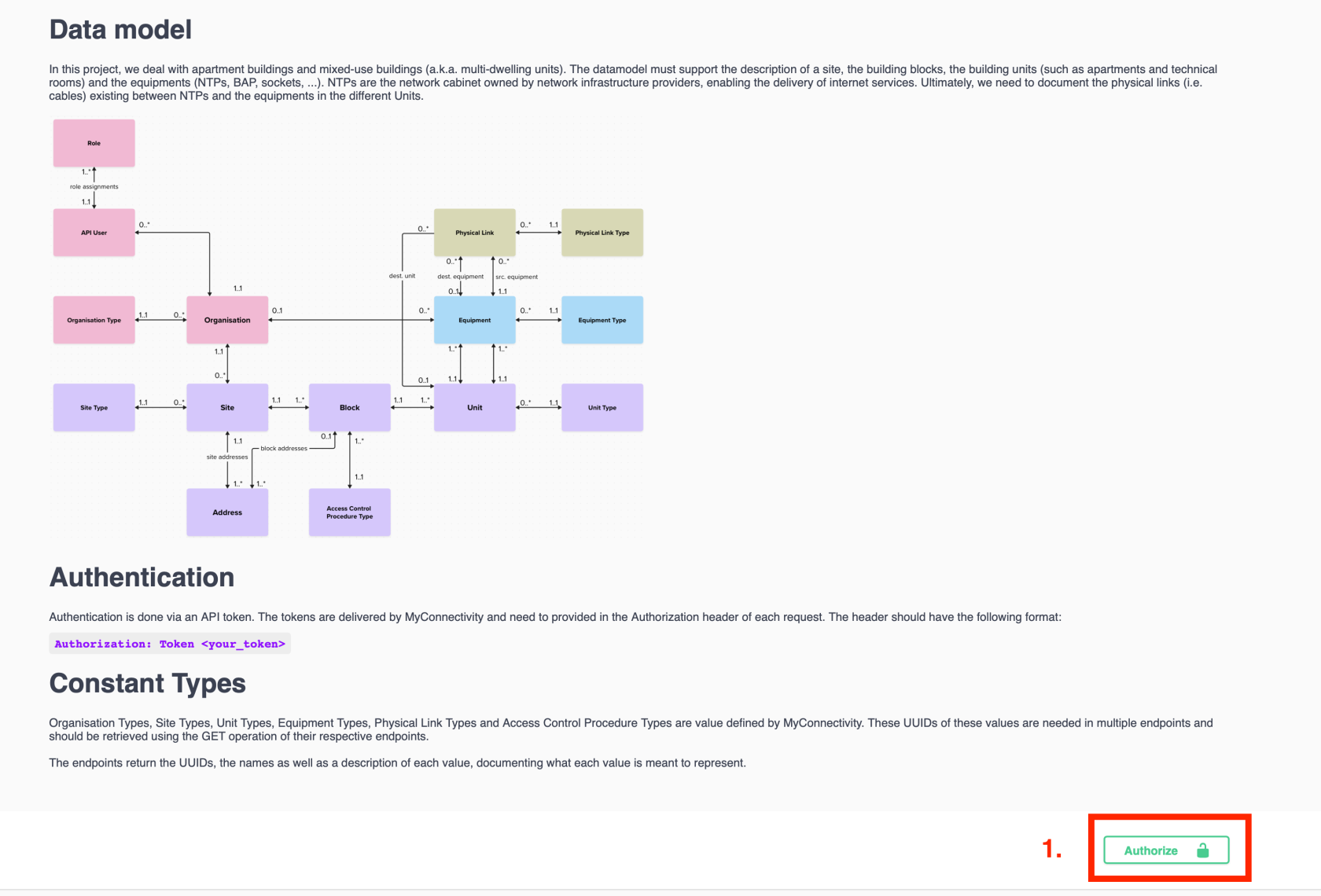
To use the API interactively in Swagger, you need an authentication token provided by MyConnectivity. You will find below the steps needed to configure the authentication on Swagger-UI.
- Click the “Authorize” button at the bottom right of the Swagger page.

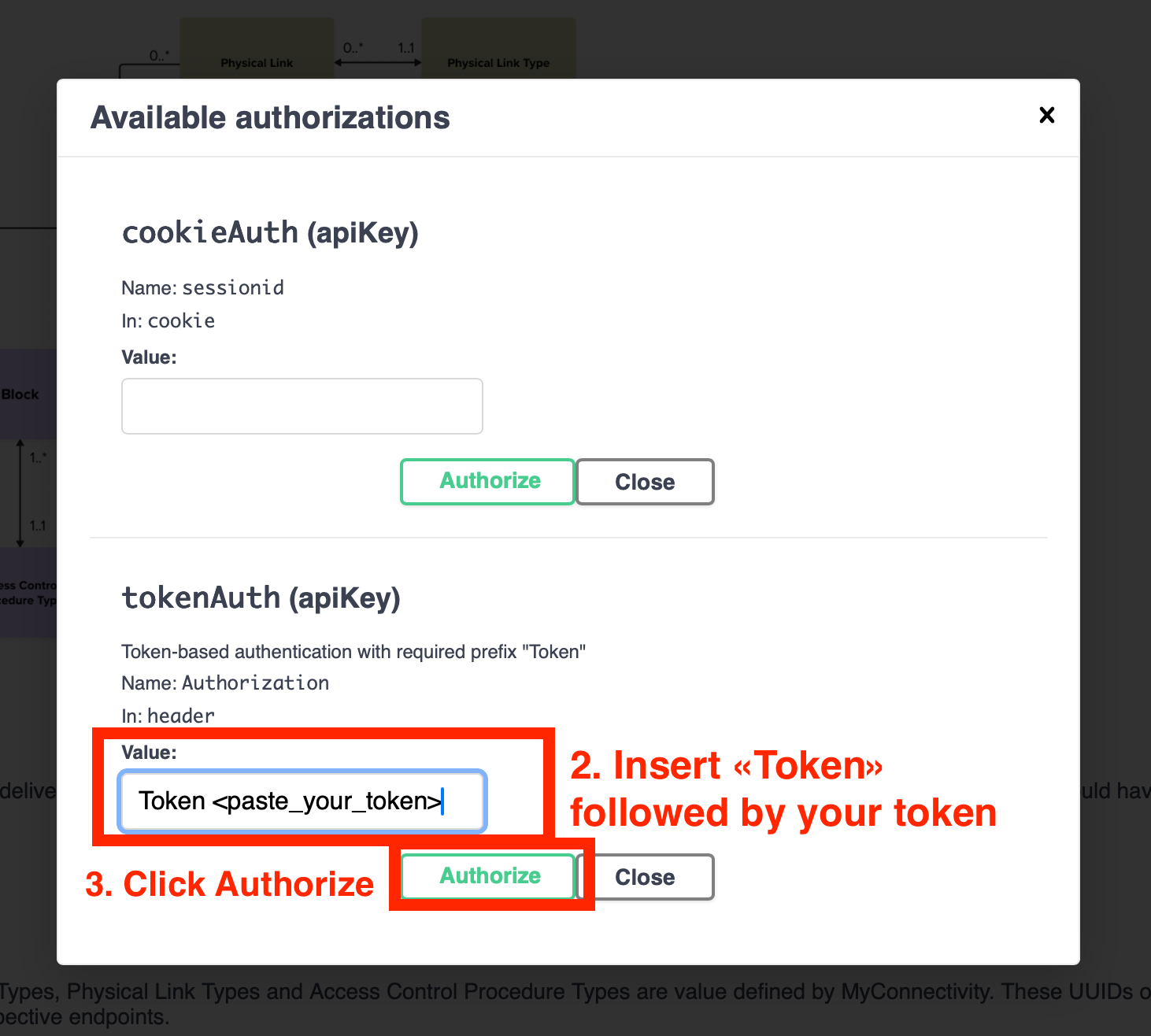
- In the pop-up window, enter your authentication token in the following format: Token <your_token>.
- Click “Authorize” to confirm.

Sending a Request
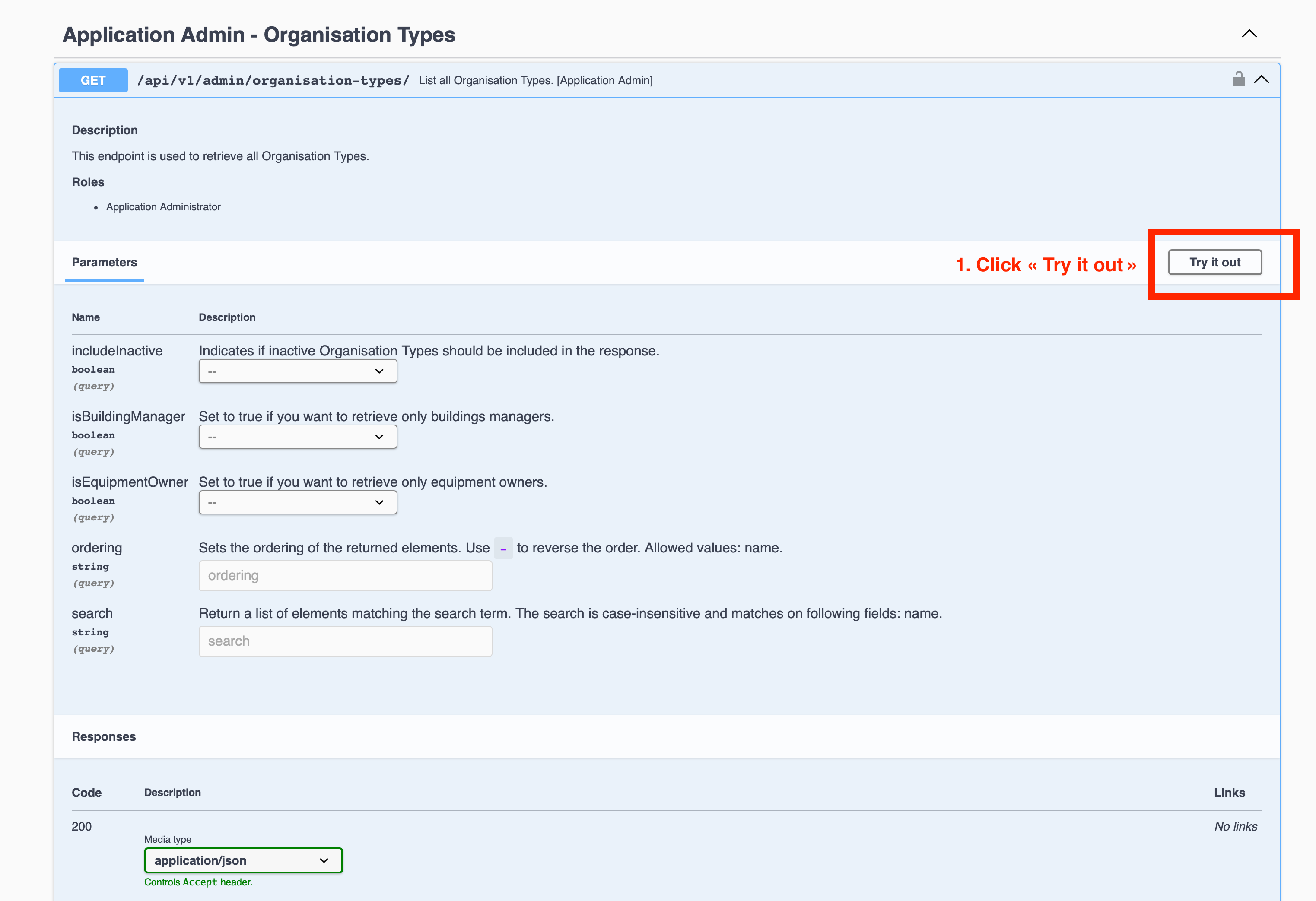
- Choose the API endpoint you wish to test from the documentation list.
- Click “Try it out” to enable editing of the request parameters.

-
Optionally set filters (e.g., includeInactive, search).
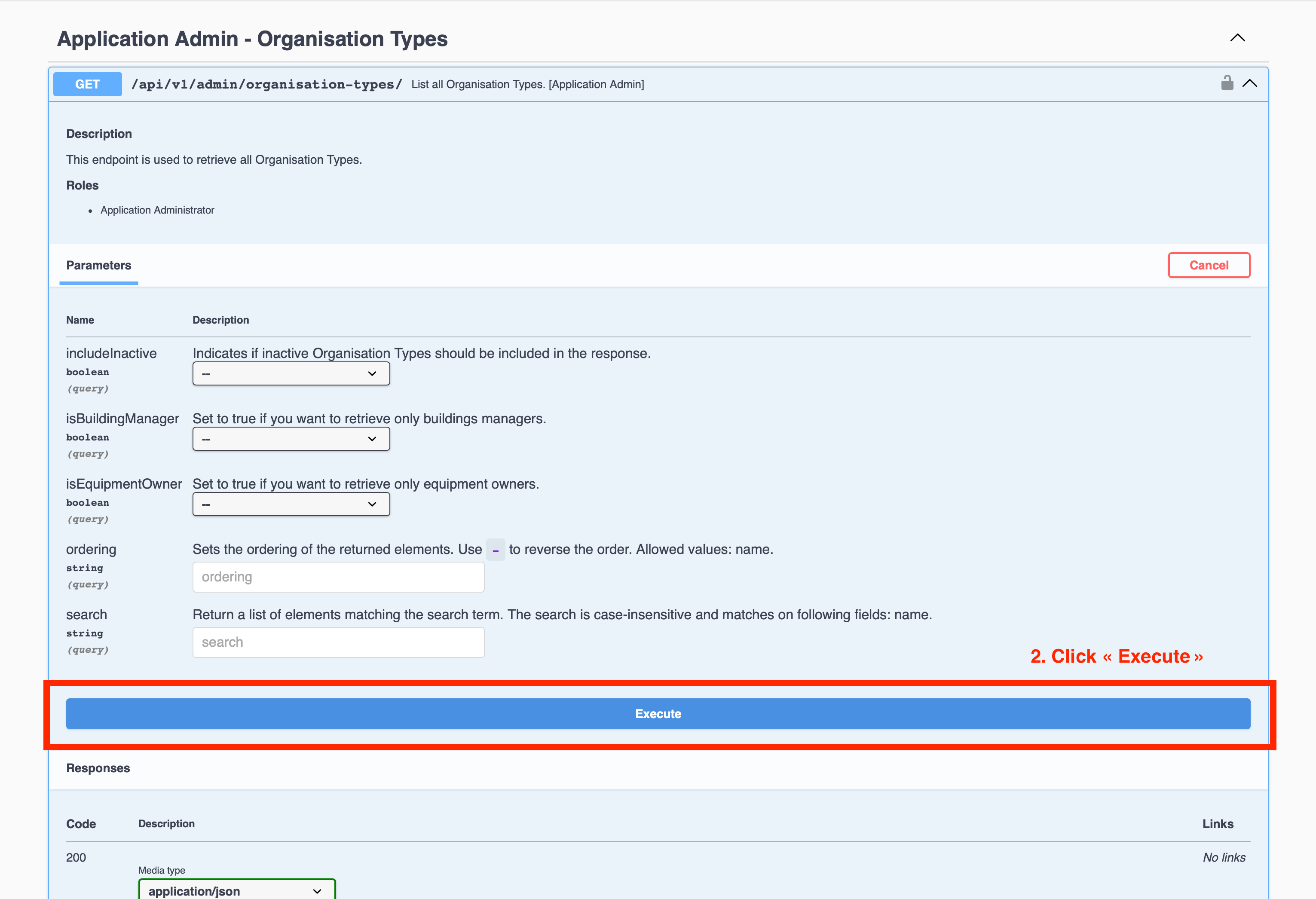
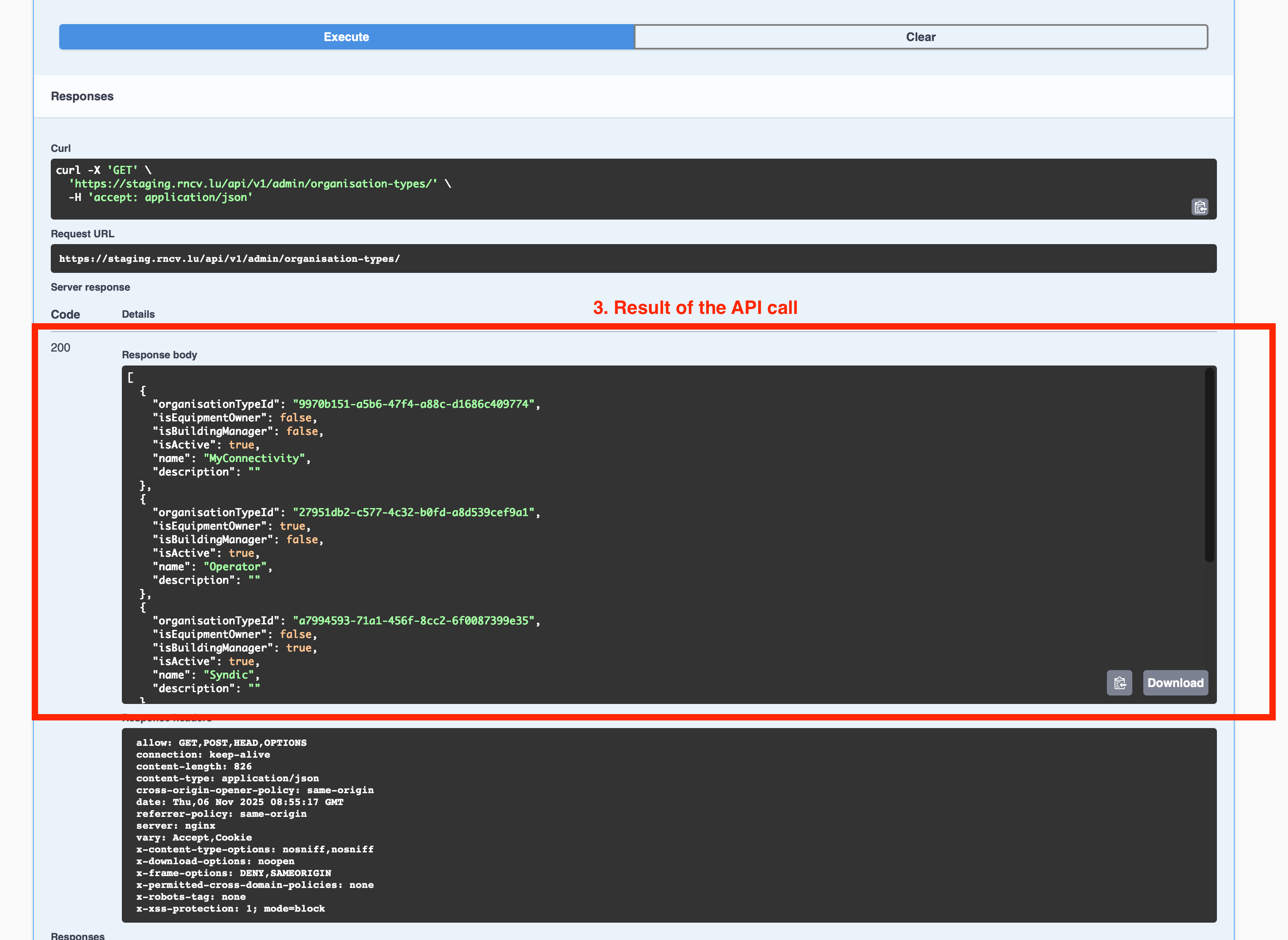
- Click “Execute” to send the request.

- Review the server’s response (status code, JSON body, and headers).

Troubleshooting
Notes
- API access may be restricted to specific IP ranges
- The staging environment is intended for testing and may differ slightly from production
- Never share your token publicly